


 Centauri Carbon 2 Combo
 Centauri 2 Combo
 Centauri Carbon 2
 ELEGOO × emoji® Centauri Carbon 2 Combo
 OrangeStorm Giga
 OrangeStorm Giga All-in-One Bundle
 OrangeStorm Giga Quad Extrusion Upgrade Kit
 OrangeStorm Giga Frequently Bought Together Bundle
 Neptune 4 Max
 Neptune 4 Plus
 Neptune 4 Pro
 Neptune 3 Pro
 Mars 5 Ultra
 Mars 5
 Mars 4 Ultra
 Mars 5 Ultra with Mercury Plus V2.0 Bundle
 Saturn 4 Ultra 16K
 Saturn 4 Ultra
 Saturn 4
 Saturn 3 Ultra
 Jupiter 2
 Jupiter 2 Pro Bundle – Mercury Plus V3.0 & Resin
 Jupiter 2 Pro Bundle – Mercury XS & Resin
 Jupiter 2 with Mercury Plus V3.0 Bundle
 Mercury Plus V3.0
 Mercury XS Bundle
 Mercury Plus V2.0
 Mercury X Bundle
 Phecda Laser Engraver & Cutter

 M1 Ultra
 Saturn 4 Ultra 16K + M1 Ultra
 Centauri Carbon 2 Combo + M1 Ultra
 Centauri Carbon 2 Combo + M1 Ultra + 4 kg Filament
 PLA-CF Filament 5 kg
 PETG-CF Filament 5kg
 PLA Pro Filament 5 kg
 PLA Marble Filament 5kg
 PETG-GF Filament 5 kg
 PLA Silk Filament 5 kg
 PLA Translucent
 PLA CMYK
 PPS-CF
 PETG Glitter
 ASA-CF
 PETG HF
 PLA
 PLA Basic
 PLA Plus
 PLA (RFID) emoji® Brand Edition
 Rapid PLA Plus
 PLA Pro
 3 kg Filament Spool
 Rapid PLA Plus 5 kg Spool
 Mini 250 g Filament Bundle
 PLA(RFID) Filament 5 Colors 6 kg
 PLA(RFID) Filament 6 Colors 6 kg
 PLA Filament Black 10 kg
 PLA Silk
 PLA Marble
 PLA Wood
 PLA Matte
 PLA Metallic
 PLA Sparkle
 PLA Galaxy
 PLA Glow
 PLA Matte Filament 5 kg
 PLA-CF
 PLA-CF Filament 10 kg
 Rapid PETG
 PETG Pro
 PETG-CF
 PETG-GF
 PETG Translucent
 PETG Translucent Filament 5 kg
 PETG Translucent 5-Color Filament Bundle (5 x 1kg)– Color Pack A
 PETG Translucent 5-Color Filament Bundle (5 x 1kg)– Color Pack B
 TPU 95A
 Rapid TPU 95A
 TPU 72D
 PC
 PC-FR
 PC Filament 5 kg
 TPU 72D Filament 10 kg
 PC-FR Filament 10 kg
 Rapid TPU 95A Filament 10 kg
 TPU 95A Filament 10 kg
 PC Filament 10 kg
 ASA
 ABS
 ABS Filament 5 kg
 ASA Filament 10 kg
 ABS Filament 10 kg
 ASA-CF Filament 10 kg
 PAHT-CF
 PET-CF
 PET-CF Filament 5 kg
 PAHT-CF Filament 5 kg
 H1 HT
 Electric Screwdriver Set
 Filament Vacuum Storage Bags Kit
 Reusable Spool
 Fast UV Cure Putty
 HandMold UV Cure Putty
 PEI Liquid Glue Pack (2 Pcs)
 3D Paint Kit

 Standard Resin 5 kg
 ABS-Like Resin 5 kg
 Standard Resin V2.0 5 kg
 ABS-Like Resin V3.0 5 kg
 ABS-Like Resin V2.0 5 kg
 ABS-Like Resin V3.0+ 5 kg
 8K Water-Washable ABS-Like Resin
 8K Water-Washable Resin V2.0
 8K ABS-Like Resin V3.0
 ABS-Like Ultra Resin
 Tough Resin
 Water-Washable ABS-Like Resin
 Standard Resin
 Standard Resin V2.0
 8K Standard Resin
 Rapid Standard Resin
 Standard Plant-Based Resin
 8K Standard Resin 5 kg
 Rapid Standard Resin 5 kg
 Standard Resin V2.0 10 kg
 Standard Resin 12 kg
 Standard Resin V2.0 12 kg
 8K Water-Washable Resin
 Water-Washable Resin V2.0
 Water-Washable Resin
 Water-Washable Resin 5 kg
 Water-Washable ABS-Like Resin 5 kg
 Water-Washable Resin V2.0 5 kg
 8K Water-Washable ABS-Like Resin 5 kg
 8K Water-Washable Resin V2.0 5 kg
 8K Water-Washable Resin 5 kg
 ABS-Like Resin
 ABS-Like Resin V2.0
 ABS-Like Resin V3.0
 ABS-Like Resin V3.0+
 ABS-Like Resin V3.0 Pro
 Plant-Based Resin
 Plant-Based Resin 12 kg (6 × 2 kg)
 Plant-Based Resin 10 kg
 Tough Resin 5 kg
 Tough Resin 12 kg

 CANVAS for Centauri Carbon
 CANVAS for Centauri Carbon 2/Centauri 2 Series
 H1 HT × 2
 Marsmate Air Purifier
 Mini Air Purifier (2 Pcs)
 USB Air Purifier (2 Pcs)
 Activated Carbon Filter for Marsmate
 Mini Heater
 For Centauri Series
 For OrangeStorm Giga
 For Neptune 4 Series
 For Neptune 3 Series
 For Mars Series
 For Saturn Series
 For Jupiter Series
 LCD Screen
 Build Plate
 ACF/FEP/PFA
 Resin Tank
 Washing Bucket for Mercury Plus V3.0
 Washing Bucket for Mercury X/XS Bundle
 Washing Bucket for Mercury Plus V2.0
 Silicone Mat 2 Pcs
 Laser Module for Phecda 10W
 Enclosure for Phecda
 Air Assist for Phecda
 Honeycomb Panel for Phecda
 Rotary Attachment for Phecda
 Composite Filter for Phecda (5 Pcs)
 Risers for Phecda (8 Pcs)
 Reflective Markers for M1 Ultra
 Reflective Markers for M1 Ultra (Φ3mm×800pcs)





Table of contents
- Quick decision: an entry-level starting point or a more versatile workshop tool?
- M1 Ultra vs Ferret SE: key specifications
- Choose around the detail your project actually needs
- Accuracy, resolution, and the limits of a finished print
- Connections, preparation, and the equipment beside the scanner
- Speed and software: follow the model beyond capture
- Which projects justify each choice?
- What the complete setup will cost
- Which scanner should you choose?
- Frequently asked questions
Your first scanning project might be a garden ornament you want to resize. Your next might be a broken latch that must fit an existing enclosure. Ferret SE is an accessible way to learn general object capture; M1 Ultra becomes more relevant as detailed mechanical geometry starts defining the work.
Quick decision: an entry-level starting point or a more versatile workshop tool?
Choose Ferret SE for learning on forgiving objects with a limited initial hardware budget. Choose M1 Ultra when detailed parts, accessible recesses, and integrated wireless handling are capabilities you expect to use regularly.
If M1 Ultra fits the work you have in mind, its complete scanning guide covers setup, mode selection, and finishing the model.
The distinction is the kind of work the purchase needs to support. Starting with a lower-cost scanner can be sensible if its output fits the project. If tiny features are essential from the beginning, a low entry price does not resolve that capture requirement.
M1 Ultra vs Ferret SE: key specifications
| Feature | ELEGOO M1 Ultra | Creality CR-Scan Ferret SE |
|---|---|---|
| Capture approach | 34 crossed, 7 parallel, and single-line blue laser; NIR structured light | General optical object scanning with color capture |
| Manufacturer-specified accuracy | Blue laser up to 0.02 mm; NIR up to 0.05 mm | Up to 0.1 mm |
| Detail metric | Blue-laser resolution: 0.05-2 mm | Resolution/point distance: 0.16 mm |
| Minimum scan volume | Blue-laser minimum: 5 × 5 × 5 mm; NIR minimum: 150 × 150 × 150 mm | 50 × 50 × 50 mm |
| Working distance | Crossed/single-line laser: 200-600 mm; parallel laser: 160-400 mm; NIR: 170-1,200 mm | 150-700 mm |
| Frame rate | Blue laser: up to 100 fps wired/60 fps wireless at 1,520 × 1,200; NIR: up to 30 fps | Up to 30 fps |
| Host platforms | Compatible Windows PC or Mac | Wired Windows or Mac; Android and iPhone not listed as supported |
| Connection | Cable or built-in Wi-Fi 6 | USB 3.0/2.0; no wireless bridge listed for SE |
| On-scanner hardware | 3-inch touchscreen; removable battery; 511 g including battery | Host-device preview; no battery grip listed for SE |
| Tracking | Marker-based and suitable marker-free modes | Geometry, marker, and texture alignment |
| Color capture | 24-bit color texture mapping | Supported |
| Exports | STL, OBJ, PLY, ASC | STL, OBJ, PLY |
| M1 Windows recommendation | Recommended: Core i7 13th generation or newer, RTX 4060 or better with 8 GB VRAM, 32 GB RAM | Check current scanning software requirements for the intended Windows computer |
| M1 Mac configuration | Minimum M2/16 GB; recommended M4/32 GB; macOS 14 or later | Compatible Mac required; verify software support before purchase |
| Listed price | US$1,599 | US$299 |
Choose around the detail your project actually needs
For a larger decorative object, the useful result may be a recognizable shape with clean surfaces and enough detail for the intended print size. Ferret SE is a reasonable candidate for learning that workflow: maintain tracking, collect overlapping views, inspect missing areas, and finish a mesh.
A small snap-fit component changes the requirements. The lip, locating surface, and surrounding clearance may determine whether the printed replacement works at all. Those features deserve attention before you decide which scanner is affordable.
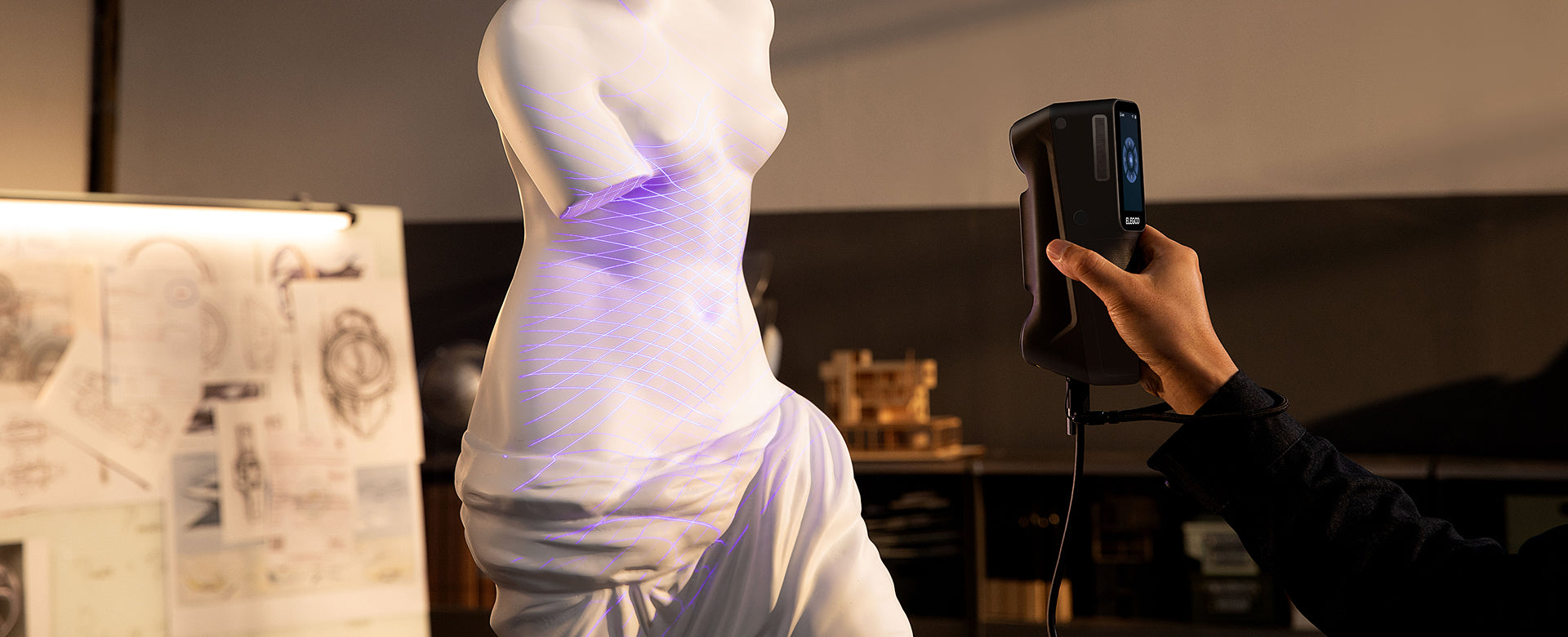
M1 Ultra gives you crossed blue laser lines, a parallel-line pattern, and a dedicated single-line mode. You can choose an approach for broad faces, detailed areas, and accessible recesses, with a separate NIR mode for broader subjects.
The single-line option can be useful around a narrow pocket, but it still needs the light and camera views to reach the surface. A hidden internal channel needs another measurement or design approach. It is better to identify that limitation before collecting a model that looks complete only from the outside.
If you are new to scanning, choose a rigid, matte object with distinctive shape for the first session. Learning on a polished, transparent, or very thin subject adds several problems at once and makes it harder to tell what needs changing.
Accuracy, resolution, and the limits of a finished print
Ferret SE’s manufacturer-specified accuracy is up to 0.1 mm, with resolution or point distance down to 0.16 mm. M1 Ultra’s manufacturer-specified blue-laser accuracy is up to 0.02 mm, with a separate blue-laser resolution range. Each figure belongs to its stated measurement and operating conditions.
Accuracy describes closeness to a reference measurement. Precision describes repeatability, while resolution or point spacing concerns the detail represented in the data. Volumetric accuracy considers behavior across the object’s extent. These terms cannot be combined into a single performance score.
A high-resolution resin printer cannot recover geometry that the scanner missed. For a small embossed nameplate, inspect the mesh without texture: the lettering needs to exist in the surface if you expect it to appear in a plain-color print.
For a functional part, scan quality is only one contributor to the final fit. CAD reconstruction, clearances, print orientation, and material behavior also matter. Measure the critical mating features and print a small test section before committing to the entire replacement.
The stated minimum object sizes in the table also need context. An object large enough to scan can contain features too small or inaccessible to reproduce usefully. Use the dimensions and geometry that control your result as the acceptance criteria.

Connections, preparation, and the equipment beside the scanner
Ferret SE uses a wired Windows or Mac workflow. Its connection options should not be confused with Ferret Pro’s: the SE specification does not list Android or iPhone scanning, a wireless bridge, or a battery grip.
That arrangement can work well at a fixed table. Put the computer where you can see the preview, manage the cable, and leave room to turn or reposition the object. If most scans happen there, wireless hardware may be a convenience rather than a requirement.
M1 Ultra includes its touchscreen, battery, and Wi-Fi in the scanner body. A compatible computer still participates in scanning, but the handheld arrangement gives you more freedom to move around an object without adding a separate bridge.
Consider a fabricator working around a fixed ventilation panel. Reaching the lower edge and checking the preview may be more awkward than capturing the broad front. That is a situation where the handling arrangement can matter as much as a capture specification.
Surface preparation should be based on the actual finish. Matte paint, dark plastic, reflective metal, and transparent material create different optical problems. M1 Ultra’s specified capability on many black and metallic surfaces is useful for recurring workshop work, but do not turn that into a blanket promise about every finish.
Markers support tracking; a suitable coating helps make difficult surfaces visible. If the object cannot accept either, establish a workable capture approach on comparable material first. Budget preparation and cleanup as part of the project.

Speed and software: follow the model beyond capture
The maximum frame rates in the table describe different capture systems and conditions. M1 Ultra’s blue-laser limit changes between wired and wireless operation; its NIR mode has a separate limit. Ferret SE’s published maximum belongs to its own scanning workflow.
Higher frame rate does not automatically mean a shorter project. Setup, tracking interruptions, missing undersides, alignment, and mesh cleanup can take longer than the first pass. For a sample demonstration, inspect the usable output and include those steps in the comparison.
Both scanners provide common mesh exports, including STL, OBJ, and PLY. Those formats create a route into modeling tools and slicers, but do not guarantee a printable or editable engineering part.
A scan of a worn control handle may reproduce the comfortable outside shape while also preserving the damaged socket. Keep the scan as a reference, measure the shaft it must fit, and rebuild the socket in CAD. The design work supplies the intended fit that the worn original no longer contains.
Inspect automatic repairs carefully. Closing a gap can help a decorative mesh become printable, but closing a real mounting hole changes the object. Work on a copy, preserve important openings, and check scale before sending the model to the slicer.
Our guide to how 3D scanners work explains the distinction between capture, mesh processing, and preparing a print.
Which projects justify each choice?
Learning the workflow on general shapes
Ferret SE is worth considering for a hobbyist who wants to find out how often scanning will be useful. Choose accessible objects, judge samples against your print size, and allow time to learn the software. Those skills remain useful if you later upgrade.
Repeated mechanical capture and redesign
M1 Ultra is the more targeted choice when scanning small features and accessible cavities is already a routine requirement. Several laser patterns and integrated wireless hardware are easier to justify when they address repeated work.
Fine decorative details as the main job
If the work is consistently small and indoors, also read M1 Ultra vs MINI 2. A small-object specialist may be a more useful comparison than deciding solely between an entry-level device and a broader hybrid system.
What the complete setup will cost
ELEGOO M1 Ultra · US$1,599 / Ferret SE · US$299. Add the computer and capture accessories your projects require before comparing the total.
Start with a current package list and the host computer you will use. M1 Ultra’s specified Windows and Mac requirements are in the table. For Ferret SE, verify compatibility with the exact computer and current scanning software before assuming an older laptop will be sufficient.
Add a stable support or turntable if the object needs one, along with markers and appropriate surface preparation. For replacement parts, allow for mesh tools, CAD, and fit-test prints. A starter package should be judged as a complete route to the intended result.
There are two reasonable ways to avoid wasting money. Buy a lower-cost scanner when its sample output already meets your normal needs, or buy the more capable capture setup when you can identify the recurring feature that requires it. Buying for an unspecified future project makes either decision harder to assess.
Which scanner should you choose?
Ferret SE is the sensible shortlist option for learning general object scanning at a restrained initial cost. Start with forgiving surfaces and realistic expectations about the details your prints need.
M1 Ultra is our choice when your work already calls for multiple laser patterns, smaller mechanical geometry, and integrated wireless handling. Its value lies in addressing those capture needs across repeated projects.
See the M1 Ultra product details, the ELEGOO 3D scanner range, or the broader buying guide. Choose a setup that makes the next useful model achievable, then build your scanning skills around the work you actually do.
Frequently asked questions
Does Ferret SE support phone scanning?
It supports wired Windows and Mac use, with no Android or iPhone scanning. Do not apply Ferret Pro’s mobile features to the SE model.
Is M1 Ultra a standalone scanner?
No. Its battery, screen, and wireless connection support handheld operation with a compatible Windows PC or Mac. The computer remains part of capture and processing.
Is Ferret SE enough for a first 3D scanner?
It can be a reasonable starting point when representative sample meshes meet your detail and size requirements. If fine mechanical features are essential immediately, evaluate those before choosing on price.
Will a better printer fix missing scan detail?
No. The printer follows the geometry supplied to it. Missing or smoothed-away features need to be captured again or reconstructed before printing.
Can I print a replacement directly from either scanner?
You usually need to inspect and finish the mesh, verify critical dimensions, and prepare it in a slicer. Worn or broken functional features may need CAD reconstruction first.


